Code Drawing: Step-by-Step Tutorial & Easy Ideas
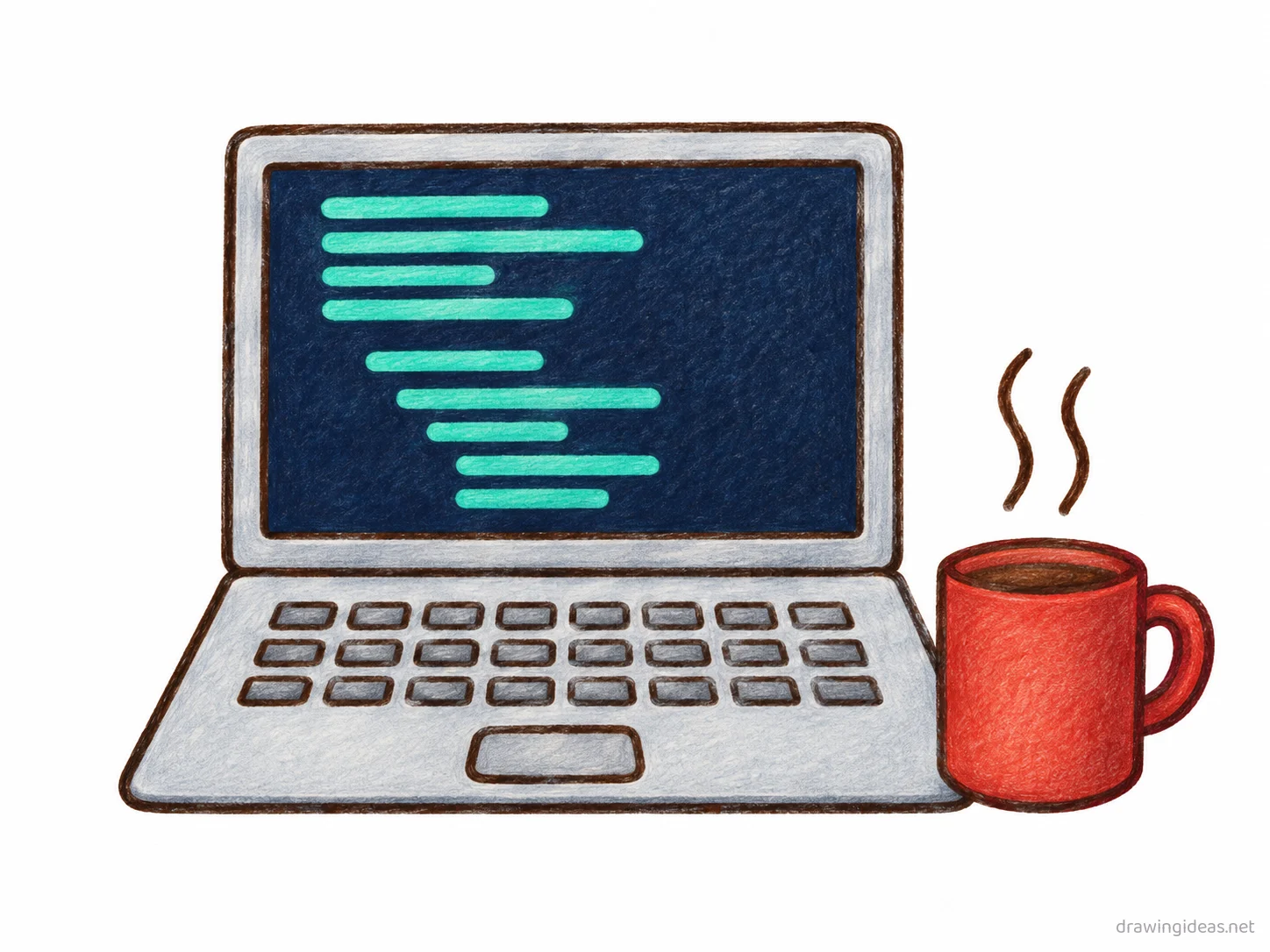
Code drawings are one of the most-loved sketching subjects, and for good reason — the basic version comes together from one clear outline divided into labeled regions in just a few minutes. Follow the nine steps below to get the foundations right, then browse the ideas list for your next code sketch.
- Difficulty Medium
- Time ~15 min
- Tools Pencil, eraser, paper
- Starts with one clear outline divided into labeled regions
How to Draw Code Step by Step
Step 1 of 9
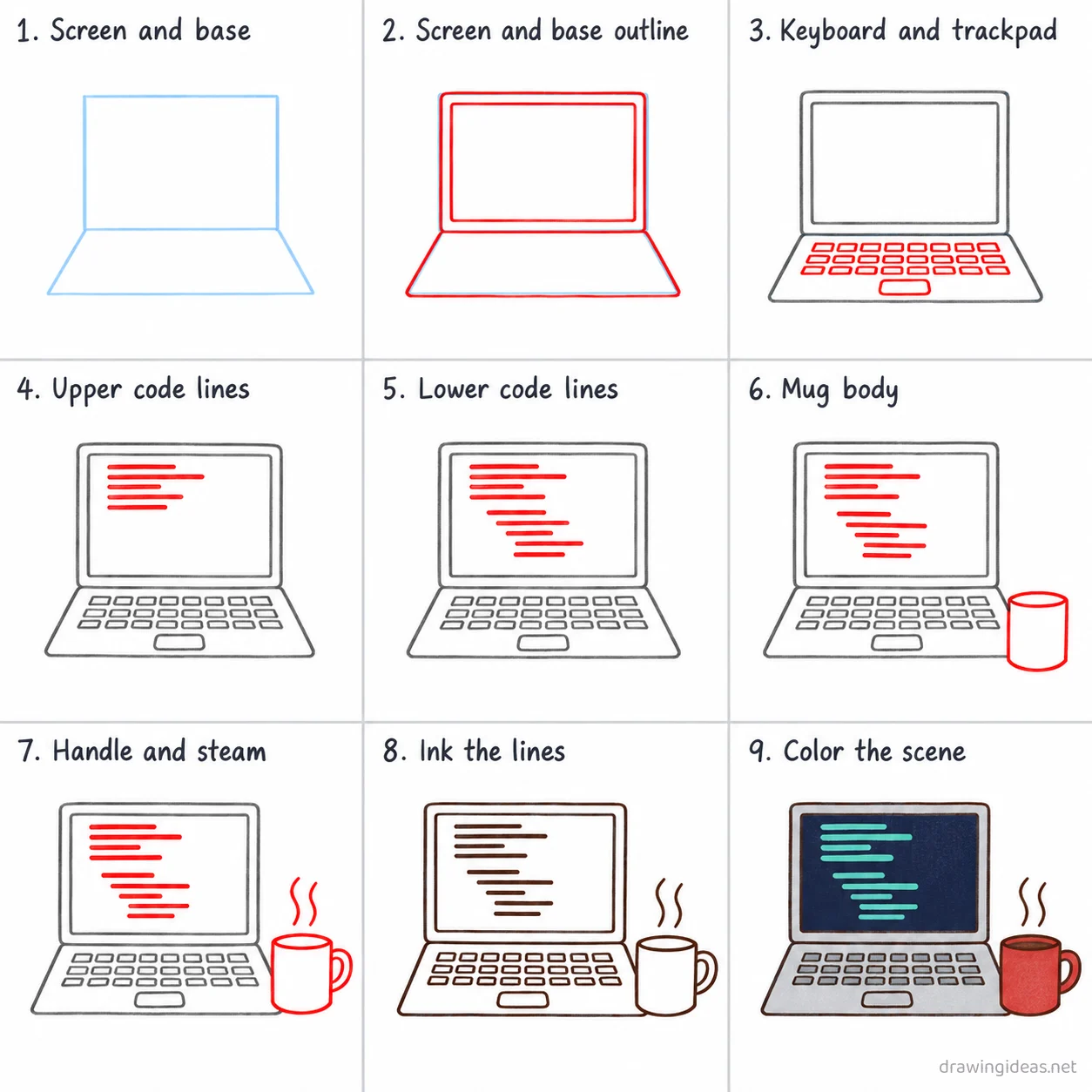
Screen and base
Draw a light rectangle in the upper middle of the page for the screen, then a light trapezoid below it for the keyboard base.
-
Screen and base
Draw a light rectangle in the upper middle of the page for the screen, then a light trapezoid below it for the keyboard base.
-
Screen and base outline
Trace a thick bezel border on the screen rectangle, then trace the keyboard base outline below it.
-
Keyboard and trackpad
Add three short rows of small key rectangles across the base, then a rounded trackpad centered below them.
-
Upper code lines
Draw six short horizontal bars of different lengths stacked near the top of the screen to look like code.
-
Lower code lines
Draw five more short horizontal bars of different lengths stacked below the first group, at different indents.
-
Mug body
Draw a cylindrical mug body to the lower right of the laptop.
-
Handle and steam
Add a curved handle on the mug's right side, then two wavy steam lines rising above it.
-
Ink the lines
Go over every kept line with dark ink, then erase the two light guide shapes.
-
Color the scene
Fill the screen dark navy with colorful code bars, the laptop body silver gray, and the mug warm red.
Code Drawing Ideas to Try Next
Once the basic code clicks, run it through these variations — each one practices a different skill while staying on a subject you already know.
-
A step-by-step process strip
Show code in stages across three or four panels, with arrows — perfect for processes and cycles.
-
Code as a friendly cartoon
Give it eyes and a smile — the memorable-mnemonic style that makes studying stick.
-
A poster-style code with title lettering
Big title, code center-stage, two or three fact callouts — the class-project format.
-
A labeled diagram of code
The classic homework version: clean outline, distinct regions, straight pointer lines to printed labels.
Tips for Better Code Drawings
- Label lines should never cross each other — plan label positions around the drawing before writing any text.
- Accuracy first: check a textbook diagram before you stylize. A beautiful but wrong diagram loses marks and teaches nothing.
Not feeling code today?
Let the generator pick your next subject — filtered by mood and difficulty.
🎲 Random Drawing GeneratorCode Drawing FAQ
What is the easiest way to draw code?
Start with one clear outline divided into labeled regions, keeping your lines light. Refine the outline, add the defining details, then erase the construction shapes. The nine-step method above breaks this down — most people get a recognizable code on their very first try with it.
How long should it take to draw code?
A simple code drawing takes about 15 minutes following this tutorial. A quick doodle version can be done in two or three minutes, while a detailed, fully-shaded study might take an hour. Speed comes with repetition — the second attempt is always faster than the first.
What supplies do I need for code drawings?
Just a pencil, an eraser, and any paper. An HB pencil for construction lines and a 2B for final outlines is a nice upgrade, and colored pencils or markers finish it off — but nothing on this page requires special supplies.
Can kids draw code?
Yes — code is very manageable once you use construction shapes, and this method was written for first-timers. Kids can follow the same steps; just expect wobblier lines and more charm.